Work with Pages
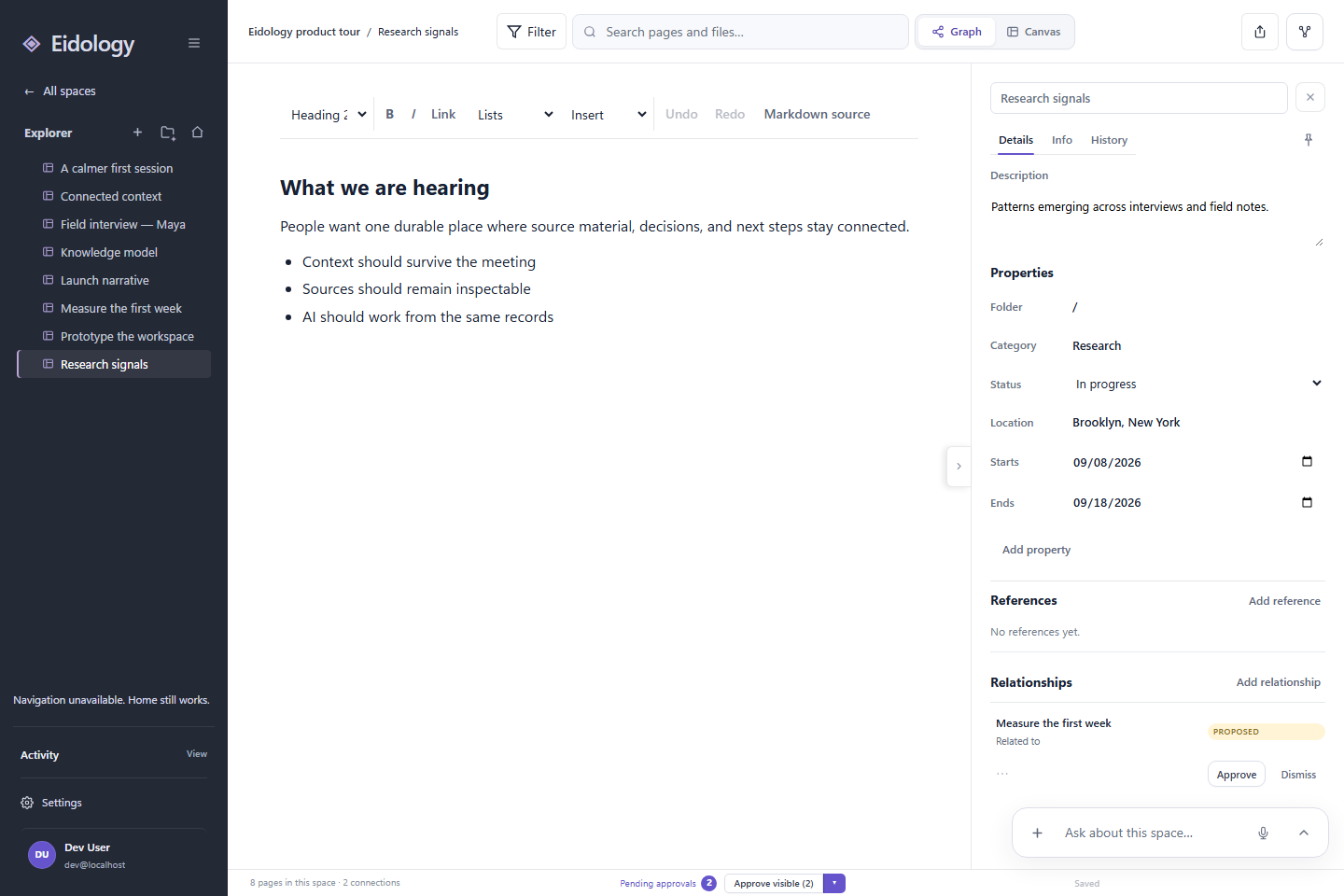
A Page is the durable unit of thought in Eidology. It can be a research note, decision, brief, plan, or any piece of knowledge you expect to revisit.
Create a Page
- Open a Space.
- Select New page in Explorer.
- Give the Page a clear name.
- Add content and, when useful, a category, status, dates, location, or folder.
- Select Create page.
Pages appear immediately in Explorer and on the Graph. Select a Page to open its editor and details together.
Keep the source close
Attach files or add references when a Page depends on source material. The original file stays available, while the Page gives you a place to explain why it matters.
Connect the reasoning
Use Add relationship in the Page details to create a typed Connection. A good Connection says more than “these are related”; it captures the role one Page plays for another.
Examples include:
- evidence for a finding;
- rationale for a decision;
- source for a summary;
- next step from a plan.
Connections appear on the Graph and travel with the Space across every view.
Revisit changes
The History tab shows how a Page developed. Use it to understand changes without duplicating the Page or losing the current version.