See the Shape
Graph is the home view for a Space. It shows Pages as a living map and makes explicit Connections visible at a glance.
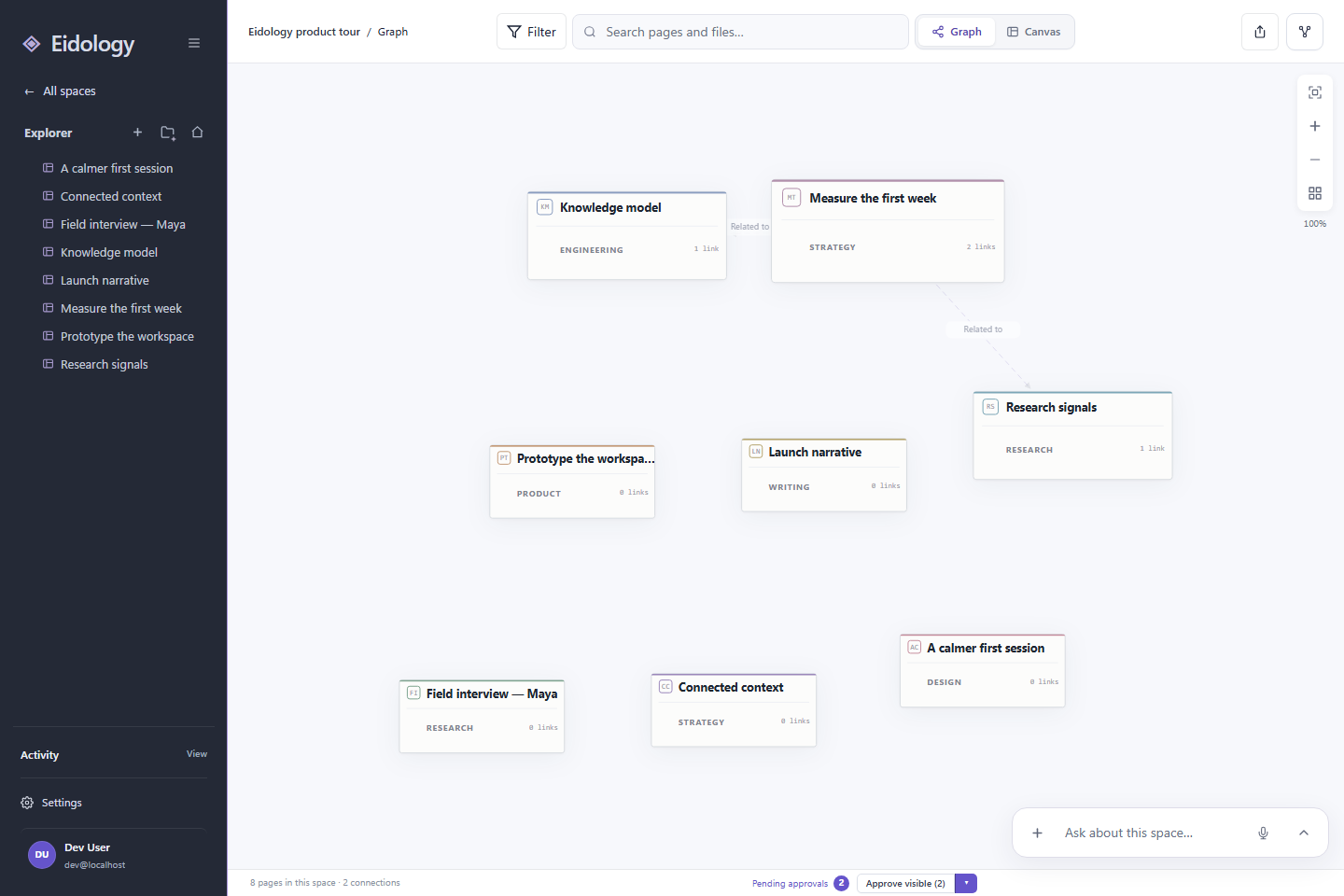
Find your way around
- Explorer keeps every Page within reach and preserves folder structure.
- Search narrows the current Space by Page or file.
- Filter focuses the Graph by category, theme, or approval state.
- Layout controls help you fit, zoom, and rearrange the map.
- Conversation stays available without replacing direct editing.
Select a Page once to focus it. Open it to move into the full Page editor while keeping the rest of the Space nearby.
Read the Graph
Color communicates Page category. Lines communicate Connections. The label on a line names the relationship, so the map remains useful when the Space grows beyond a handful of Pages.
Graph is best for questions such as:
- What is central to this topic?
- Which Pages are isolated?
- What evidence supports this decision?
- Where is the next useful Connection?
To publish highlights and reusable views, switch to Feed.