 Eidology
Sign in
Your work already has a shape.Make it visible.
Pages, files, decisions, and half-formed ideas—connected in one living Space, ready for you and your AI.
ResearchPlansSourcesDecisions
Designing a better onboarding experience
Interactive example
Select a page to follow the thinking
The value is in
what connects.
A note is useful. A note connected to its source, the decision it shaped, and the work that followed is something you can build on.
Eidology brings those relationships into view. Organize a research question, move a project forward, or give your team a place to build shared understanding.
Explore the exampleOne Space.
Every useful angle.
Move from the Graph into a focused Page, or compose Graph, Table, Kanban, Timeline, and Globe together on Canvas. The records stay the same; the perspective changes.
Explore Canvas in the guide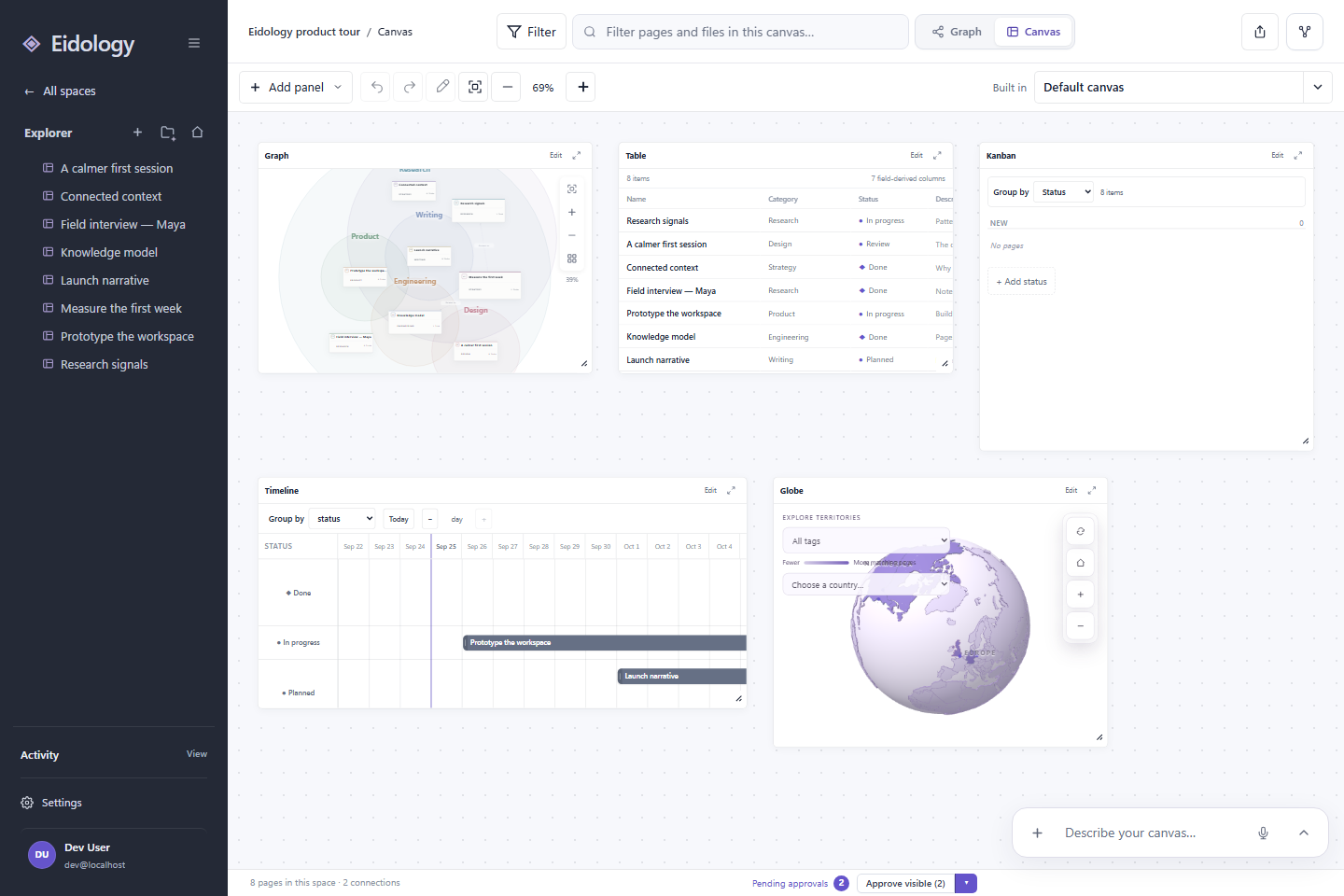
Your knowledge.
A head start for AI.
Give your AI a vault of context to work with: the pages you have developed, the files you have gathered, and the connections you have made.
Keep working directly in your spaces, or connect through a supported AI client. Your knowledge has a home beyond a single conversation.
“What led us to this decision?”
SourceThe research behind it
ReasoningThe alternatives you considered
DecisionThe direction you chose
Connected context, ready to return to.
Make room for what you know.
A personal research space. A project in motion. Your team’s shared knowledge.